
The extinguisher nobody checked is the one the inspector asks about.
Inspection schedules usually live in a spreadsheet, a wall chart and one person's memory — and none of the three tell you what is late this morning.
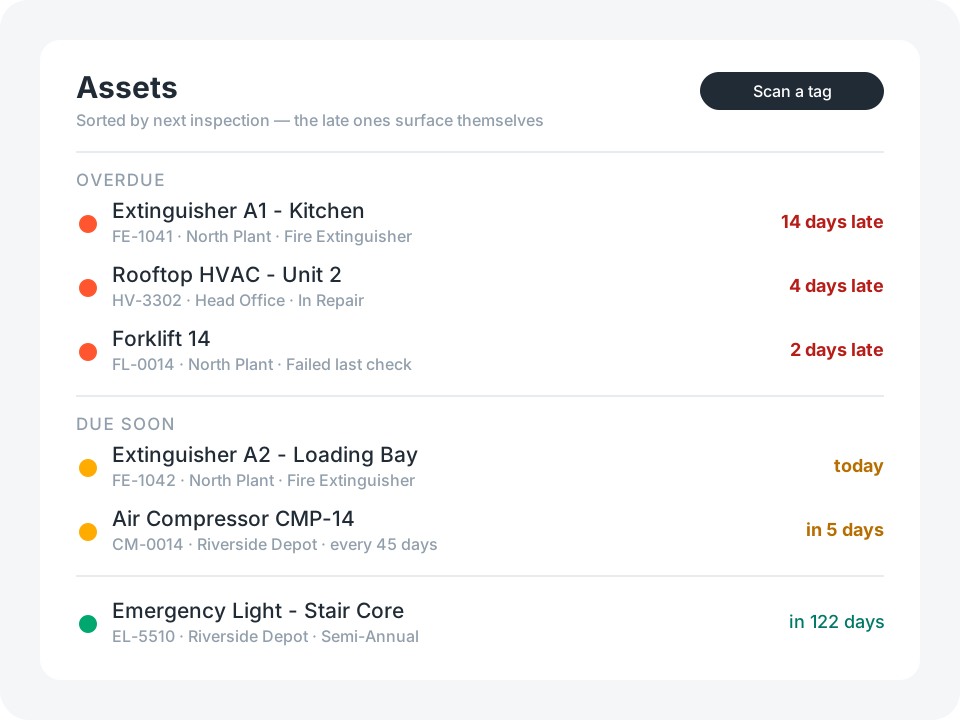
Asset Inspection keeps the frequency on the asset type, works out every due date from the last inspection, and puts the late ones at the top of the list.
Types. Assets. Workers. Inspections. One list of what is due.
Everything wired together on day one
Nothing to model, nothing to connect. Open it and start scanning.
Asset types
The rulebook: inspection frequency, warning window, checklist, standard, safety-critical flag.
Assets
A scannable tag, photos, a GPS location checked against the address, site, serial and warranty.
Inspections
Result, condition, checks ticked, findings, meter reading, photos, GPS and a signature.
Workers
Who inspects, how to reach them, and when their certification runs out.
Dashboard
Due today, due this week, never inspected, failed last check, out of service — and what to inspect next.
Asset report
A printable sheet with the details, the full inspection history, and a short link back to the record.
See It in Action
Start with the template, then reshape it in plain English — a new asset type, a quarantined status, a second checklist. No coding required.
Try for FreeThe frequency lives on the type, not on the asset
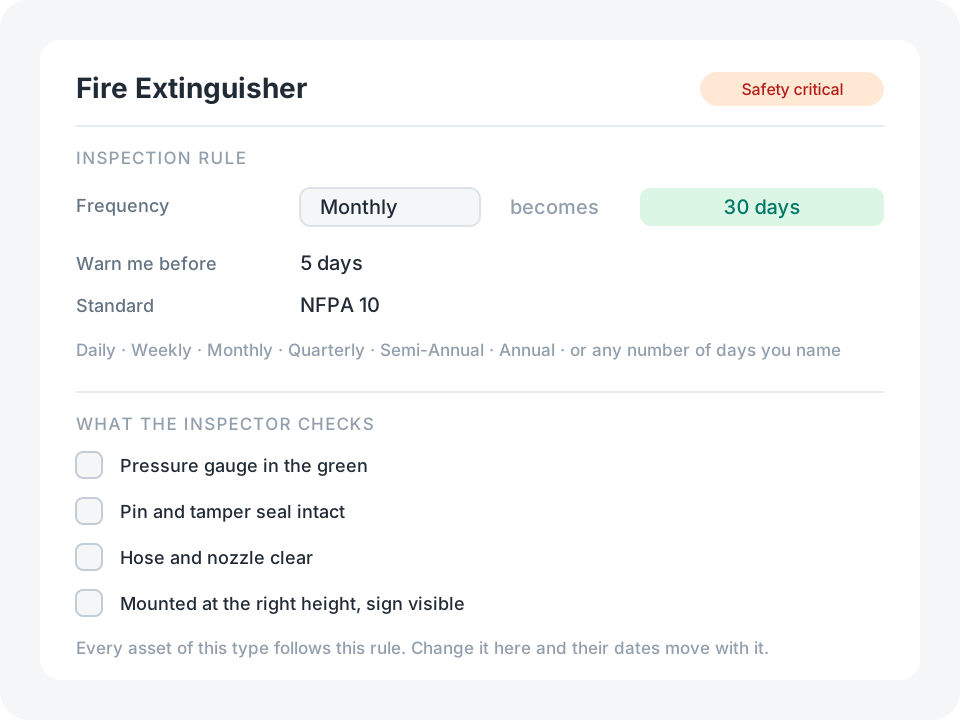
You say it once — fire extinguishers monthly, forklifts weekly, rooftop units quarterly — and every asset of that type inherits it.
- Daily, Weekly, Monthly, Quarterly, Semi-Annual, Annual, or any number of days you name
- A warning window per type, so a weekly check nags two days out and an annual one three weeks out
- A checklist and a standard, shown to whoever opens the asset
Result: change one rule and 400 due dates move with it.
Generous by default, yours to trim
A one-person workshop and a plant with a compliance auditor want very different forms. The template ships with the fields the demanding case needs, because adding a field you did not know you wanted is harder than removing one you can see.
Tap any field you do not use and choose Hide Field. It stops appearing on the form, keeps whatever was already in it, and comes back the same way.
Fields most people hide first:
Manufacturer, model and serial number
Purchase cost and warranty expiry
Meter readings for anything with an hour counter
Certifications and their expiry dates
Signatures and the printable asset report
Site, location detail and the mapped address
Where the template stops
It is a starting point, not a finished compliance system. These are the edges you are most likely to hit — each one is a change you can ask the assistant for.
An asset works out its next due date when the asset itself is saved. Add an inspection from the asset screen and hit Save — that is one tap, and it is the tap that moves the schedule.
Inspections belong to their asset: delete the asset and its history goes with it. Export first if the record has to outlive the equipment.
An inspection does not carry a link back to its asset, so the Inspections list names each row by the tag that was scanned. Scan the tag and the history reads properly; skip it and the row says only who inspected and what they found.
For the same reason, an inspection’s own GPS stamp records where you were without measuring it against the asset. It is the asset’s photo and GPS stamp that get the distance check.
The dashboard counts what a query can answer exactly — due today, due this week, never inspected, failed last check. Overdue is a live reading, so it lives in the list (late ones first) rather than in a stored number on a card.
One interval per type. Meter readings are captured but do not drive the schedule, so "every 250 hours" is a rule you would add.
Nothing chases anyone. A date passing does not send an email or a notification — somebody has to open the app.
Each asset carries its own address. If you look after many sites, splitting Locations into a table of their own is a sensible first change.
A worker whose certification has expired is flagged, but nothing stops them being picked as the inspector.